Importieren und fortfahren
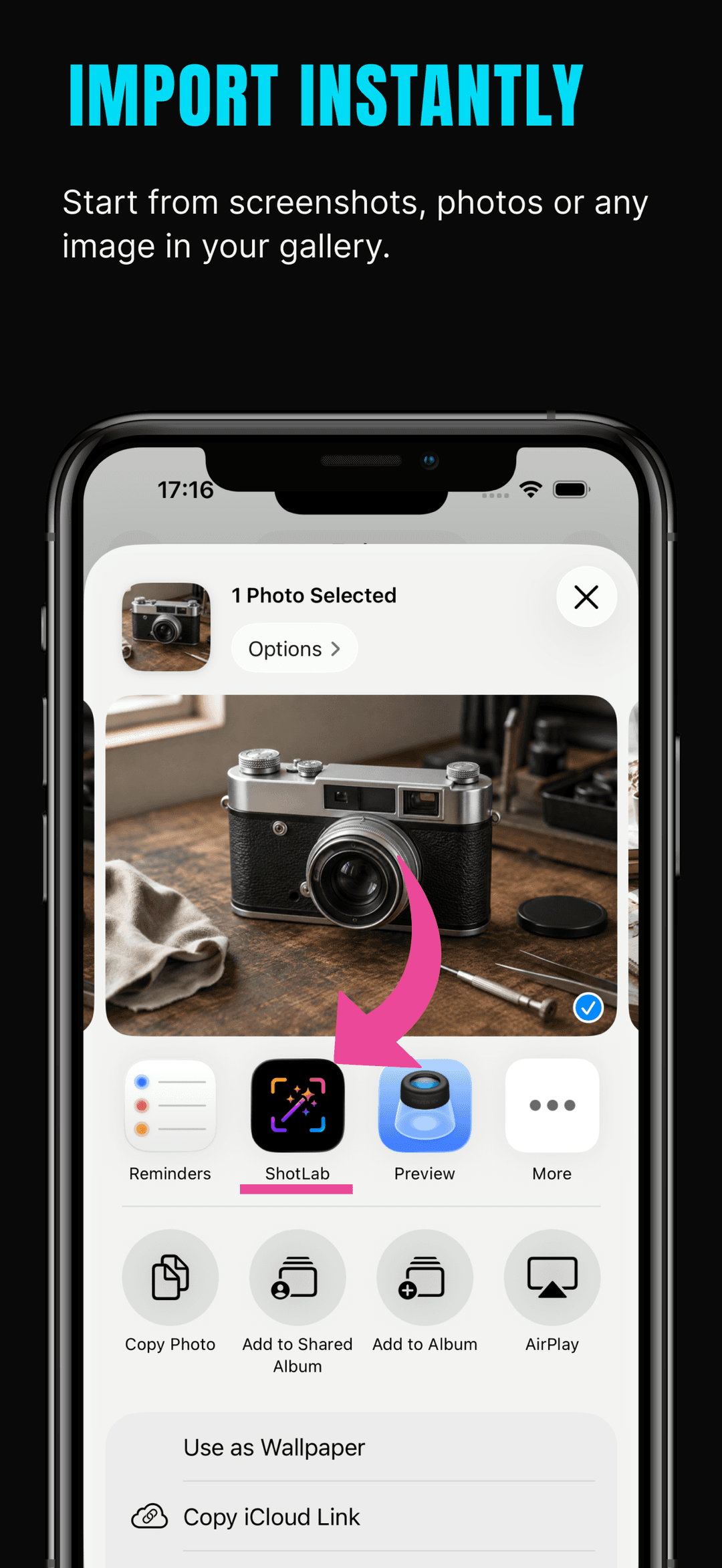
Importieren Sie Screenshots und Bilder aus Ihrer Fotobibliothek, fügen Sie Bilder ein und bearbeiten Sie aktuelle Projekte weiter.
Premium-Tool für visuelle Szenen
Importieren Sie einen Screenshot, wählen Sie einen klaren visuellen Stil, fügen Sie Rahmen, Anmerkungen, Hervorhebungen, Datenschutzmasken und Sticker hinzu und exportieren Sie ein professionelles Bild für soziale Medien, Produkt-Updates, App-Vorschauen, Dokumentationen, Support-Nachrichten oder Präsentationen.



Download
annotations, stickers, frames
Verwandeln Sie Screenshots und Bilder mit ShotLab in wenigen Minuten in professionelle, teilbare Grafiken.
Screenshots
Echte Screens aus dem App-Store-Eintrag.
So funktioniert's
ShotLab verwandelt einen rohen iPhone-Screenshot aus deiner Fotomediathek in vier schnellen Schritten in ein poliertes, teilbereites Visual.
Hol jeden Screenshot oder jedes Bild aus deiner Fotomediathek, füge eines aus der Zwischenablage ein oder sende es direkt aus dem iOS-Teilen-Menü an ShotLab. Aktuelle Projekte bleiben verfügbar, sodass du weiterbearbeiten kannst.
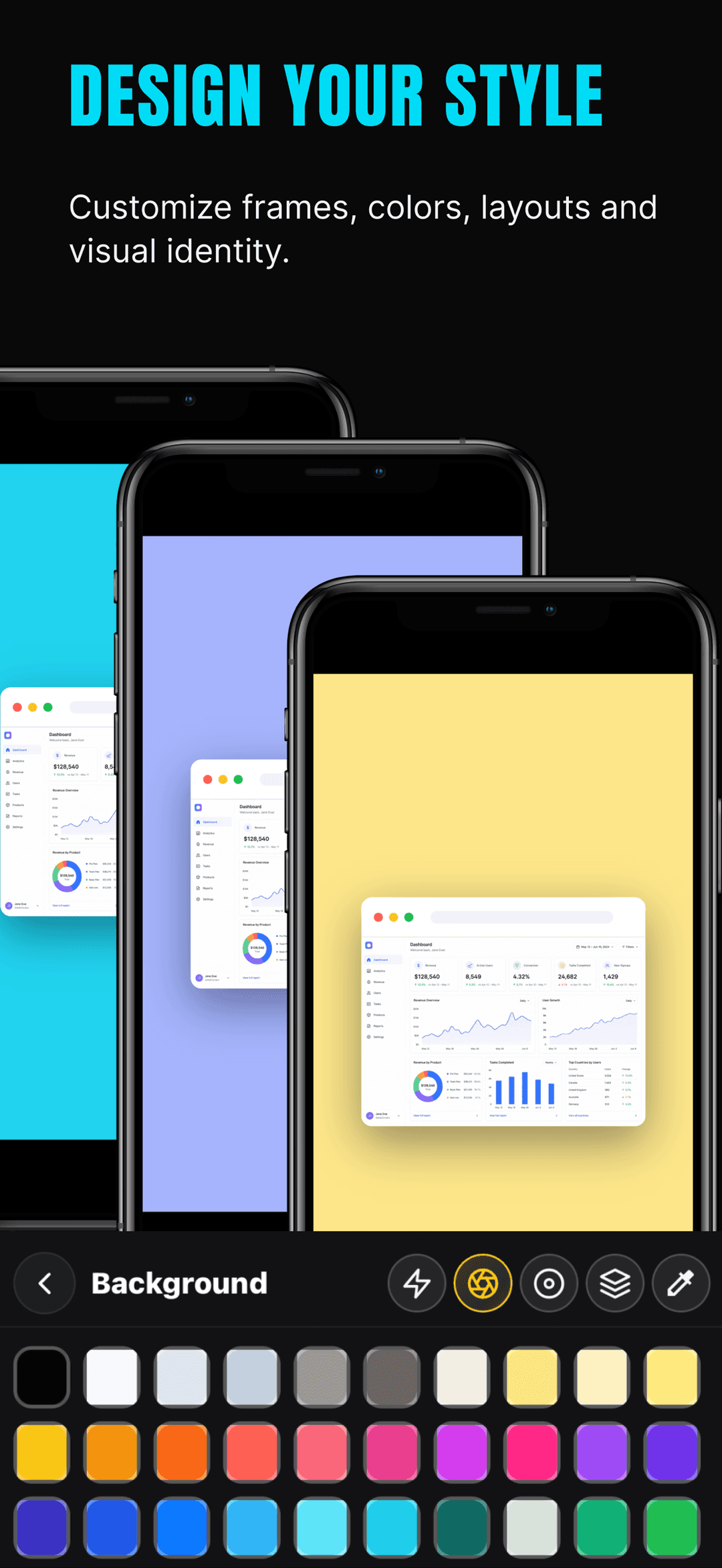
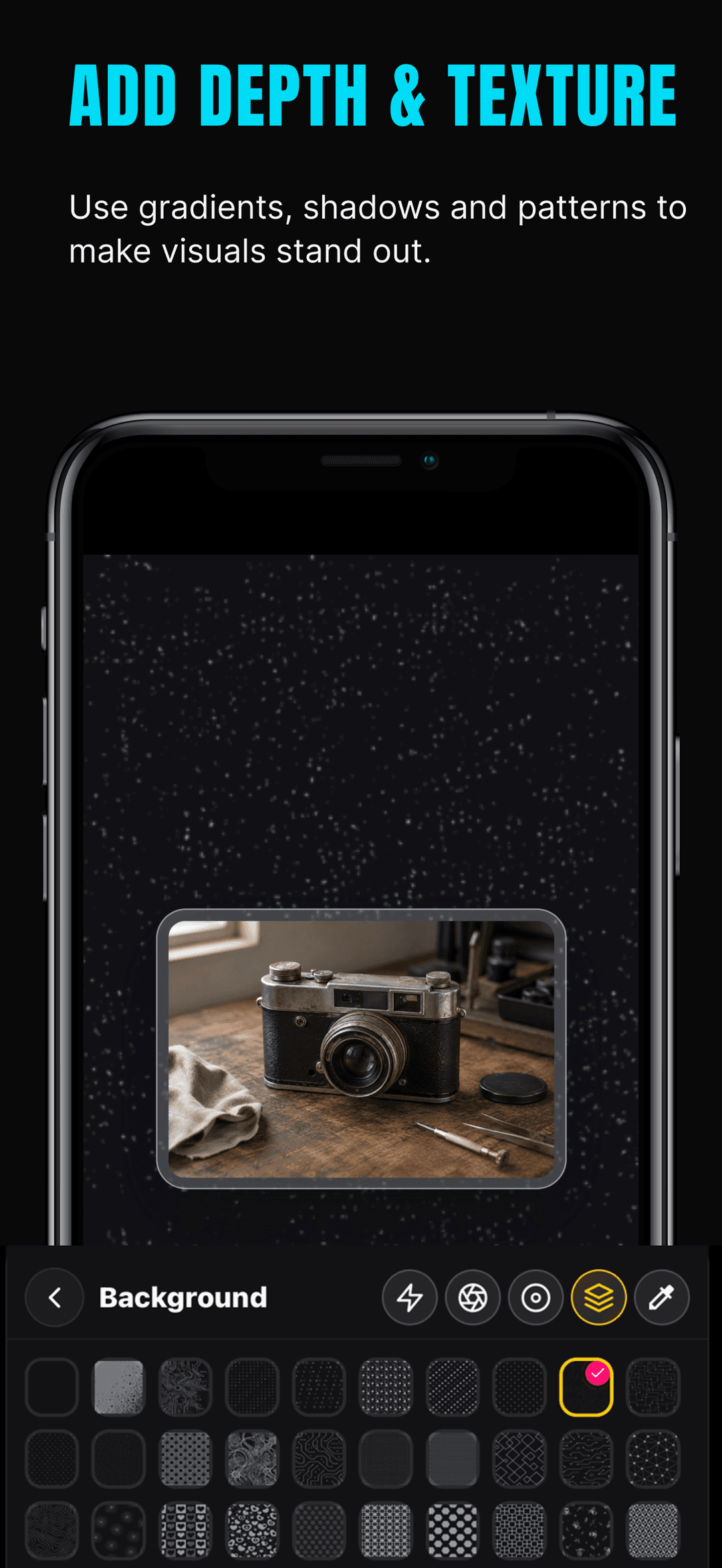
Wähle einen fertigen Look oder erstelle deinen eigenen: Umrahme den Screenshot mit einem Telefon, Browser oder einem von über 11 weiteren Rahmen und lege dann einen einfarbigen, Verlaufs- oder Muster-Hintergrund mit Schatten und abgerundeten Ecken fest.
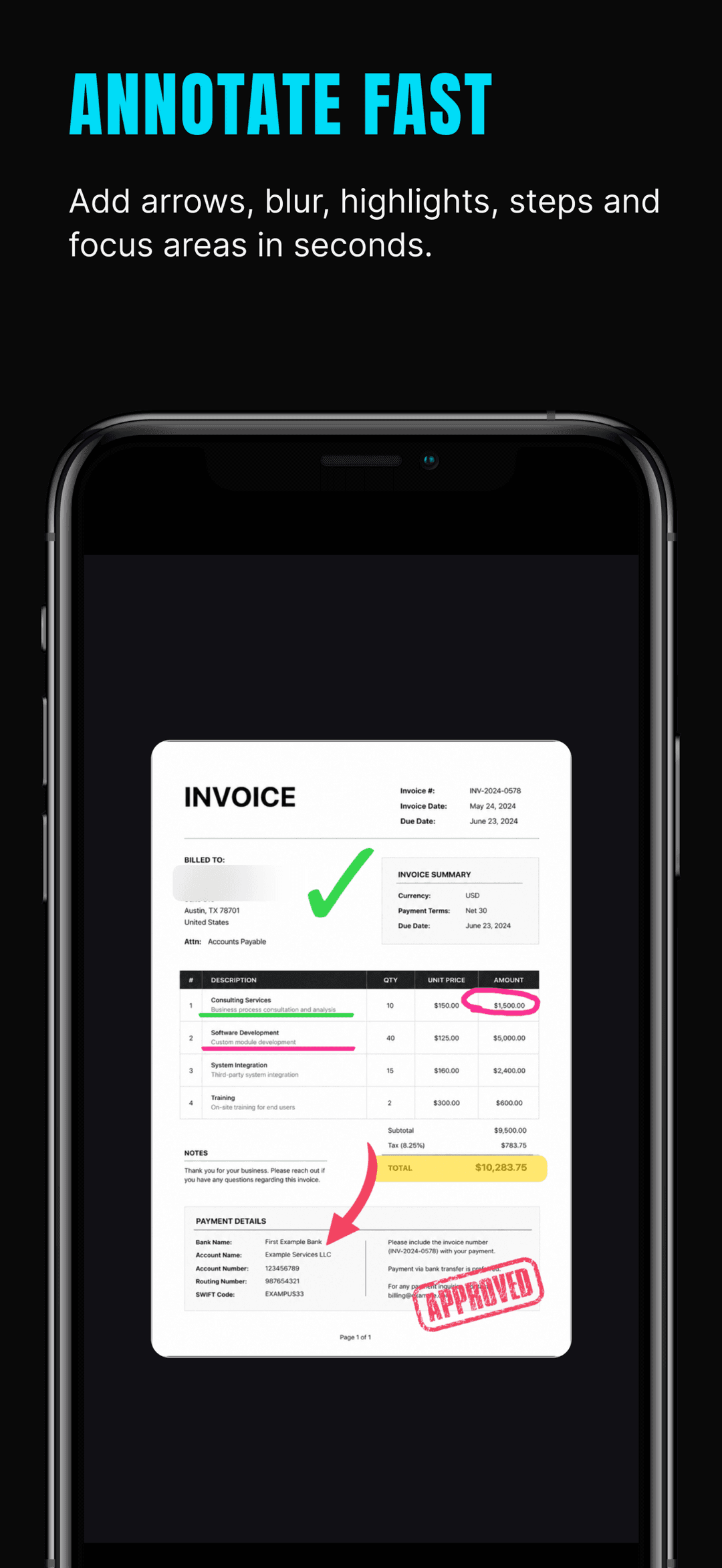
Zeig mit Pfeilen, Kästen, Hervorhebungen, Schrittnummern und Zoom-Callouts auf das Wesentliche. Verberge E-Mails, Namen und Kontonummern mit Weichzeichnen, Mosaik oder Schwärzung und füge Sticker für zusätzlichen Kontext hinzu.
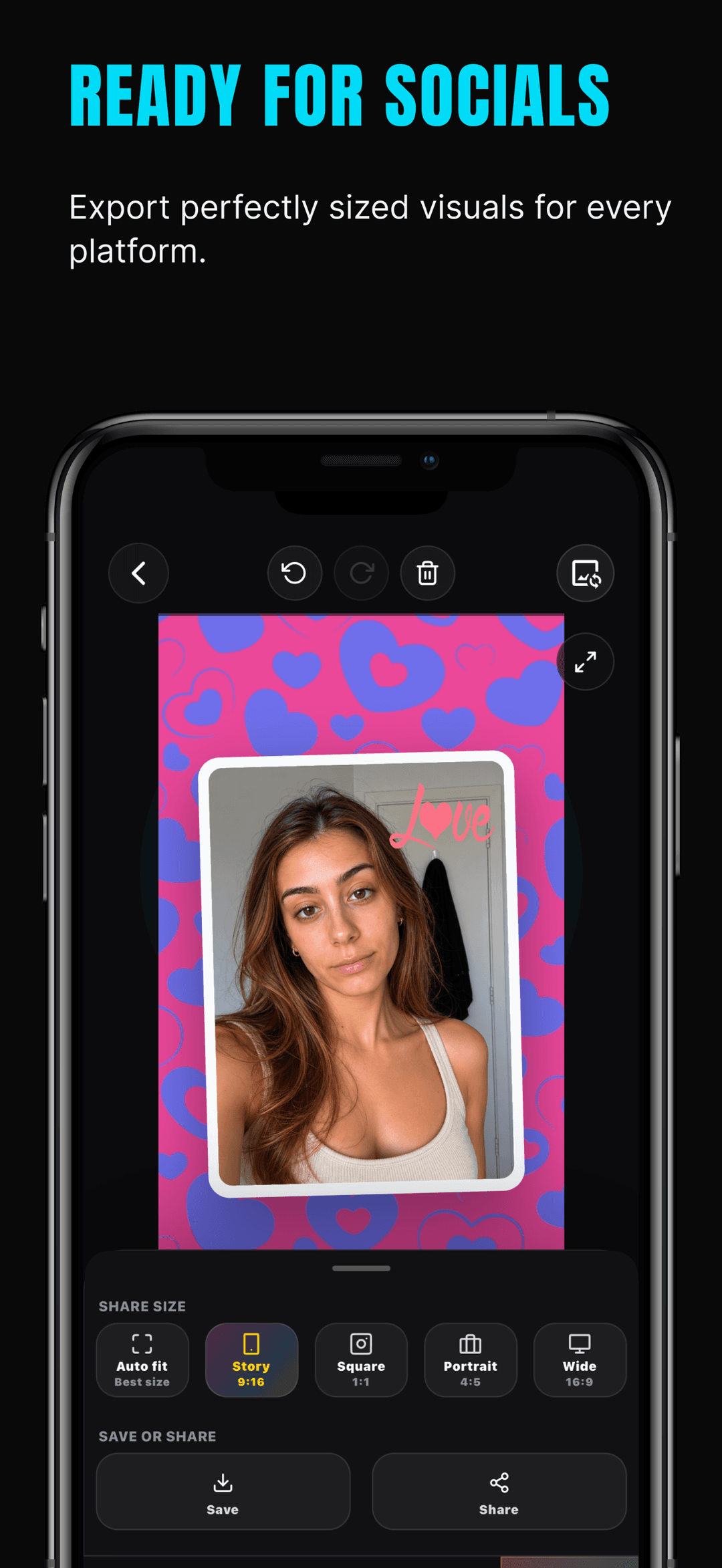
Exportiere in der richtigen Größe für das Ziel — Story 9:16, Quadrat 1:1, Hochformat 4:5 oder Breit 16:9 — und speichere oder teile das fertige Visual für Social Posts, Dokumentation oder App-Vorschauen.
Wobei es hilft
Verwandeln Sie Screenshots und Bilder mit ShotLab in wenigen Minuten in professionelle, teilbare Grafiken.
Importieren Sie Screenshots und Bilder aus Ihrer Fotobibliothek, fügen Sie Bilder ein und bearbeiten Sie aktuelle Projekte weiter.
Wenden Sie klare visuelle Stile für Social-Media-Beiträge, Produkt-Updates, Dokumentationen, App-Vorschauen und Support-Nachrichten an.
Fügen Sie Browser-, Telefon-, Foto-, Raum-, Kino-, TV-, schwebende, Glas-, gestapelte, Umriss- und Instagram-ähnliche Rahmen hinzu.
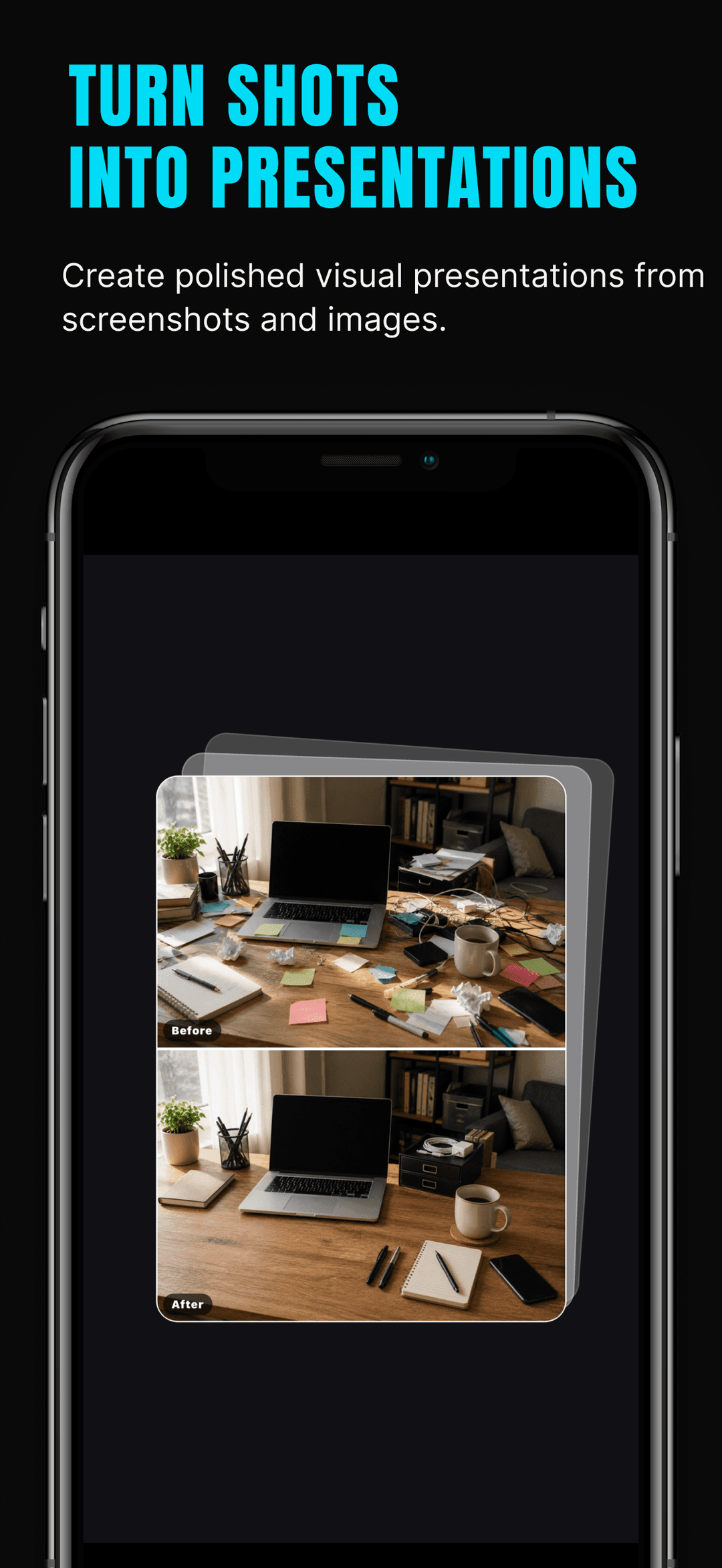
Fügen Sie Text, Pfeile, Kästen, Hervorhebungen, Freihandzeichnungen, Schrittnummern, Zoom-Hervorhebungen und Vorher-Nachher-Vergleiche hinzu.
Verbergen Sie sensible Informationen mit Unschärfe-, Mosaik- und Schwärzungswerkzeugen, bevor Sie einen Screenshot teilen.
Fügen Sie Sticker und unterstützende visuelle Elemente hinzu, die Screenshots leichter verständlich machen.
Passen Sie Hintergründe, Farben, Verläufe, Muster, Schatten, Abstände, Eckenradius, Zoom, Rotation und Exportverhältnis an.
Exportieren Sie professionelle Bilder in nützlichen Formaten für Stories, quadratische Beiträge, Porträts, breite Layouts, Präsentationen und App-Vorschauen.
Guides
Answers to the questions people search, with step-by-step walkthroughs.
Three ways to blur or redact private info in iPhone screenshots — Markup workarounds, blur vs mosaic vs redaction, and a one-minute app workflow.
Read guideAdd a realistic iPhone device frame to any screenshot — the Apple Frames shortcut, web mockup tools, or the ShotLab app — plus export size tips.
Read guideAnnotate iPhone screenshots with arrows, text, boxes, highlights, and step numbers — using built-in Markup or a dedicated screenshot editor.
Read guideAdd a gradient, color, or pattern background to a screenshot so it stands out on social media — quick methods plus a full iPhone workflow.
Read guideAdd numbered callouts to screenshots so readers follow your tutorial in order — docs best practices plus a fast mobile workflow with ShotLab.
Read guidePost a full screenshot on Instagram without cropping: put it on a square canvas, style the background, and export at 1080x1080 — all on iPhone.
Read guideWarum es wichtig ist
ShotLab wurde für Kreative, Gründer, Designer, Marketer, Entwickler und alle entwickelt, die ansprechender aussehende Screenshots erstellen möchten, ohne ein kompliziertes Design-Tool öffnen zu müssen.
Der Workflow bleibt fokussiert: Importieren, gestalten, kommentieren, sensible Details schützen und professionelle Grafiken in wenigen Minuten exportieren.
Screenshot-Szenen & Produkt-Visuals
ShotLab hilft Ihnen, Screenshots und Bilder in fertige Visuals für soziale Medien, Produkt-Updates, App-Vorschauen, Dokumentationen, Support-Nachrichten, Präsentationen und Launch-Assets zu verwandeln.
Beginnen Sie mit einem Screenshot oder Bild, wählen Sie einen klaren visuellen Stil, fügen Sie Rahmen, Anmerkungen, Hervorhebungen, Datenschutzmasken und Sticker hinzu und exportieren Sie ein professionelles Visual in Minutenschnelle.
ShotLab enthält die praktischen Tools, die man von einem schnellen Screenshot-Design-Workflow erwartet.
ShotLab wurde für Kreative, Gründer, Designer, Marketer, Entwickler und alle entwickelt, die besser aussehende Screenshots erstellen möchten, ohne ein kompliziertes Design-Tool öffnen zu müssen.
FAQ
Ja. ShotLab ist kostenlos zum Herunterladen und Verwenden, und kostenlose Exporte können ein kleines ShotLab-Wasserzeichen enthalten. ShotLab Premium, ein optionales, automatisch verlängerbares Abonnement, entfernt das Wasserzeichen für saubere, kundenfertige Exporte.
Öffne den Screenshot in ShotLab und nutze die Datenschutz-Tools: Weichzeichnen, um einen Bereich zu verwischen, Mosaik, um ihn zu verpixeln, oder Schwärzung, um ihn vollständig abzudecken. Schwärzung ist die sicherste Wahl für Kontonummern, E-Mails und andere Daten, die unlesbar bleiben müssen.
Ja. ShotLab enthält Telefon- und Browser-Rahmen sowie Foto-, Raum-, Kino-, TV-, schwebende, Glas-, gestapelte, Umriss- und Instagram-Stil-Rahmen, sodass ein roher Screenshot wie ein fertiges Geräte-Mockup wirkt.
Ja. ShotLab ist rund um den Import deiner eigenen Bilder aufgebaut: Hol Screenshots und Fotos aus deiner Mediathek, füge aus der Zwischenablage ein oder sende ein Bild aus dem iOS-Teilen-Menü an ShotLab und bearbeite aktuelle Projekte jederzeit weiter.
Nein. Deine Screenshots bleiben auf deinem Gerät — Importieren, Umrahmen, Kommentieren und Exportieren geschehen alle lokal, und es gibt kein Konto zu erstellen. ShotLab nutzt zwar Analyse- und Abonnementdienste, die App-Nutzungs- und Abrechnungsdaten verarbeiten, aber deine Bilder werden nie an sie gesendet. Alle Details findest du in der Datenschutzrichtlinie.
Ja. ShotLab hat Export-Voreinstellungen für Social-Plattformen — Story 9:16, Quadrat 1:1, Hochformat 4:5 und Breit 16:9 — plus eine automatische Anpassung, sodass ein hoher Screenshot ohne Zuschneiden zu einem quadratischen Instagram-Post oder einer breiten Launch-Grafik werden kann.
Die Markierung deckt einfaches Zeichnen und Text ab. ShotLab ergänzt Geräte- und Browser-Rahmen, gestaltete Hintergründe, Schrittnummern, Zoom-Callouts, Vorher-Nachher-Vergleiche, echte Schwärzungs- und Mosaik-Tools, Sticker und plattformgroße Export-Voreinstellungen — die Bausteine, die einen Screenshot gestaltet statt nur kommentiert aussehen lassen.
Loslegen
Verwandeln Sie Screenshots und Bilder mit ShotLab in wenigen Minuten in professionelle, teilbare Grafiken.